Step 1 of 7Channel Letter Quotes
Start a Channel Letter quote
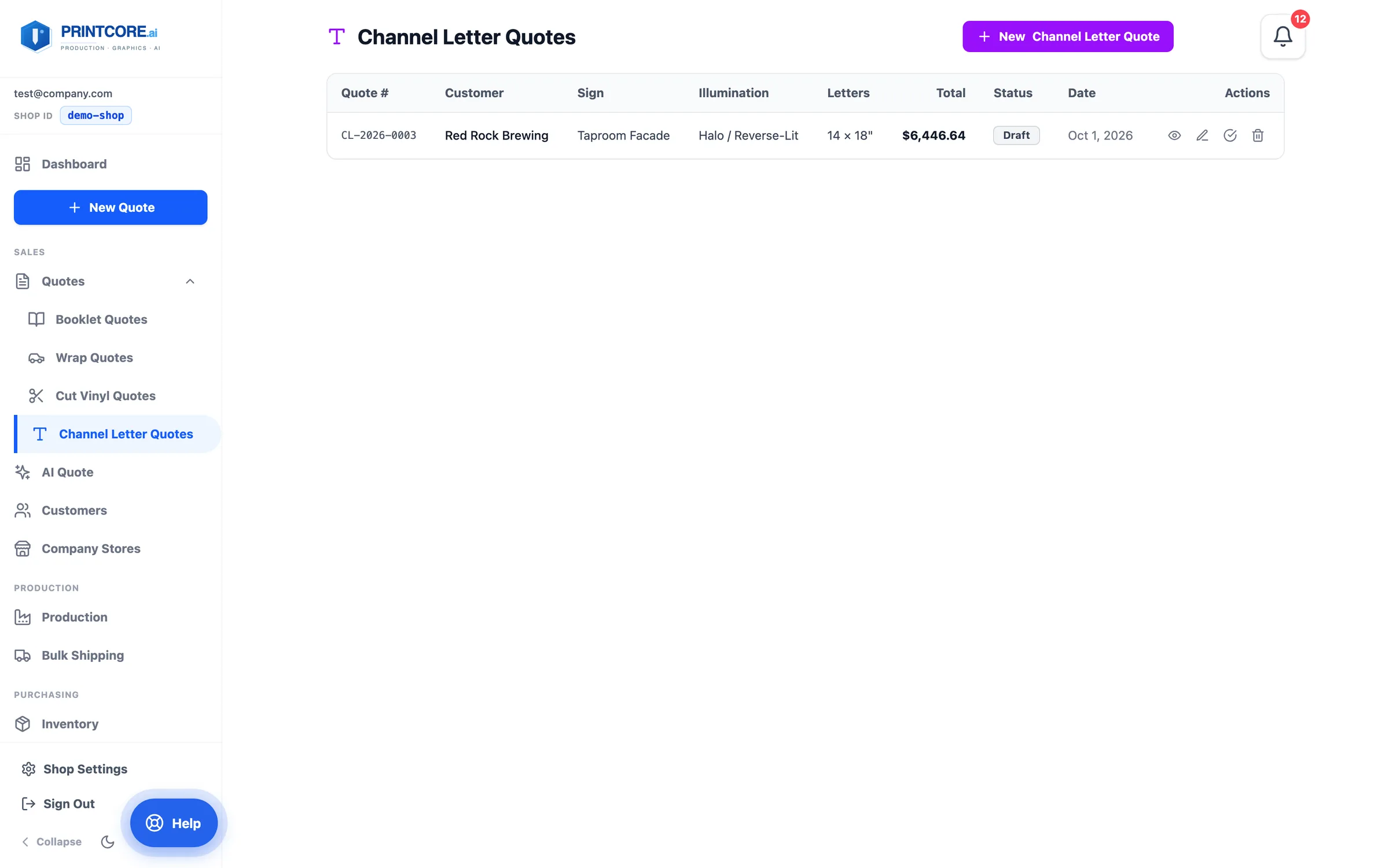
Channel letters are dimensional signs — common for storefronts and corporate facades. The Channel Letter Quotes list shows every one you've priced, with illumination, letter count and height, total, and status.
app.printcore.ai/quotes/channel-letter
What to do
Open Channel Letter Quotes from the Quotes group in the sidebar and click New Channel Letter Quote — or go straight to New Quote → Channel Letter.
Why it matters
Channel letter pricing has lots of moving parts (illumination, height tier, install, permits). The wizard takes them one at a time.
Step 2 of 7Channel Letter Quotes
Step 1 — Customer & Sign
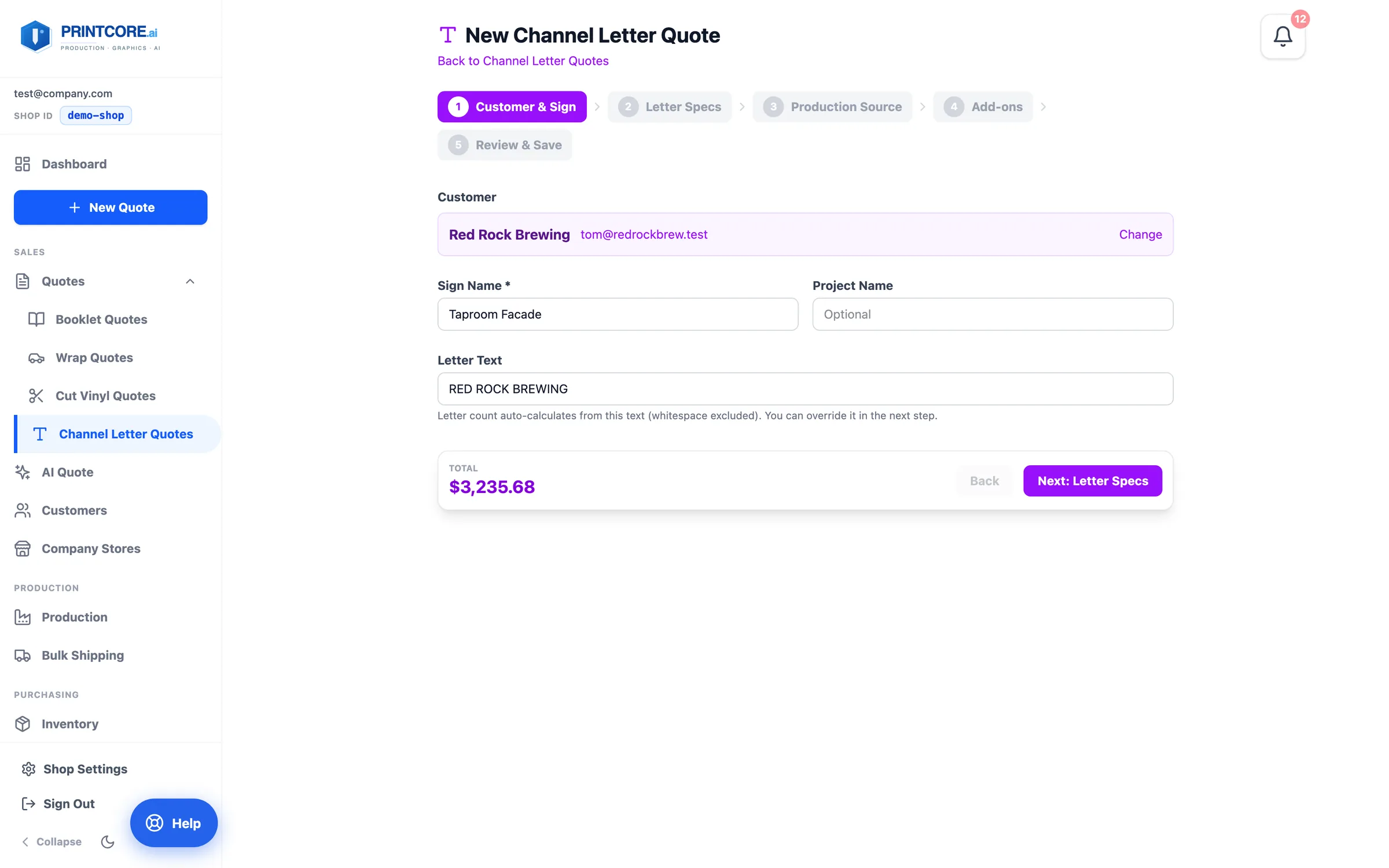
Pick the customer, give the sign a name, and type the actual letter text. The wizard counts the letters from your text.
app.printcore.ai/quotes/channel-letter/new
What to do
Sign Name: e.g. "Main Street Storefront". Letter Text: the letters that will be made (e.g. BLUE RIDGE COFFEE). Spaces are excluded automatically.
Why it matters
You won't miscount letters or forget the ampersand. The wizard does it from the text itself.
Step 3 of 7Channel Letter Quotes
Step 2 — Letter Specs
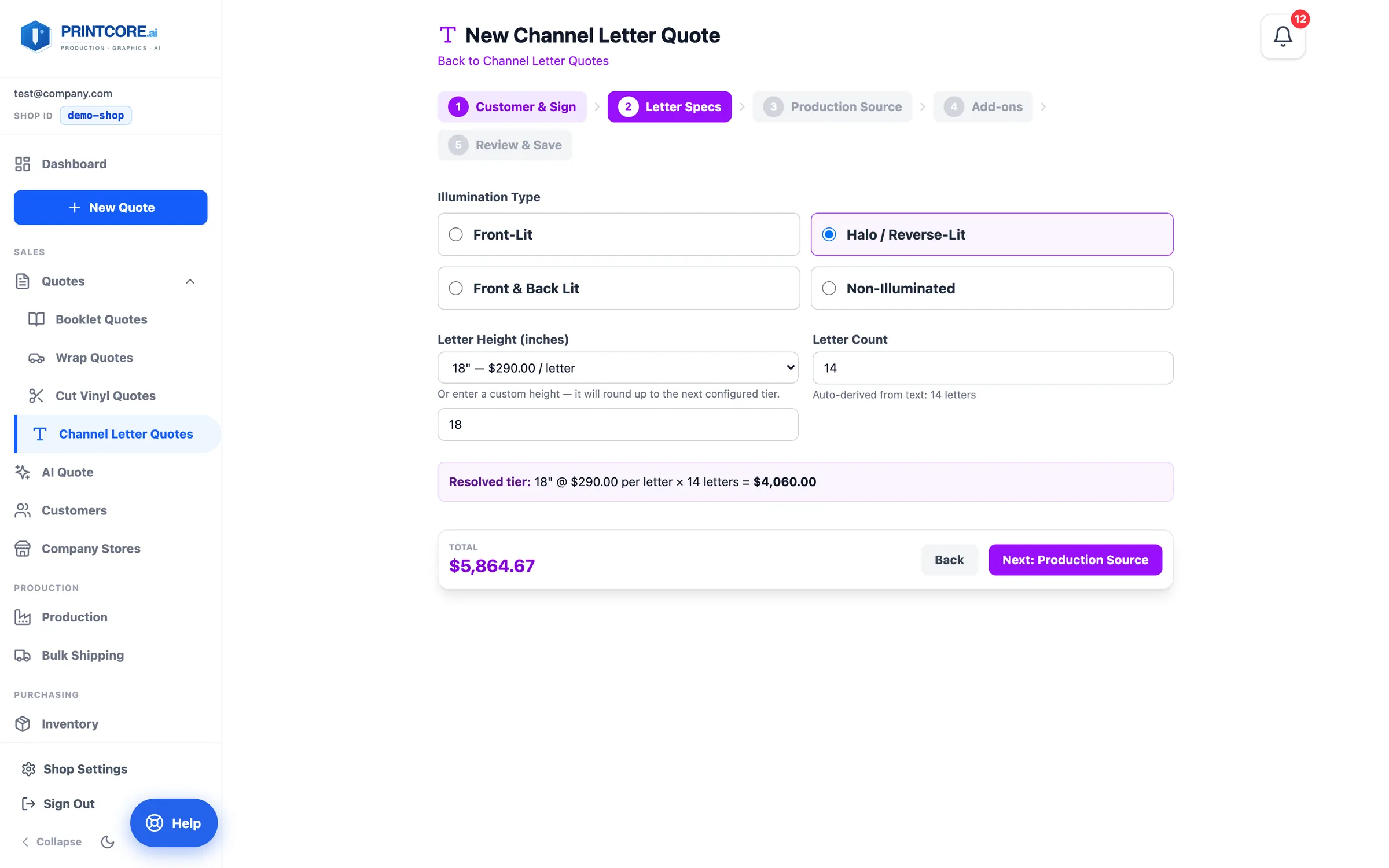
Pick the illumination type and the letter height. Each illumination type has its own height tiers, and the resolved tier reads back as height × price per letter × letter count.
app.printcore.ai/quotes/channel-letter/new
What to do
Choose Front-Lit, Halo / Reverse-Lit, Front & Back Lit, or Non-Illuminated, then a height tier — or type a custom height and it rounds up to the next tier. Override the letter count if you need to.
Why it matters
Height tiers reflect real labor and material differences, and the read-back lets you sanity-check before quoting.
Step 4 of 7Channel Letter Quotes
Step 3 — Production Source
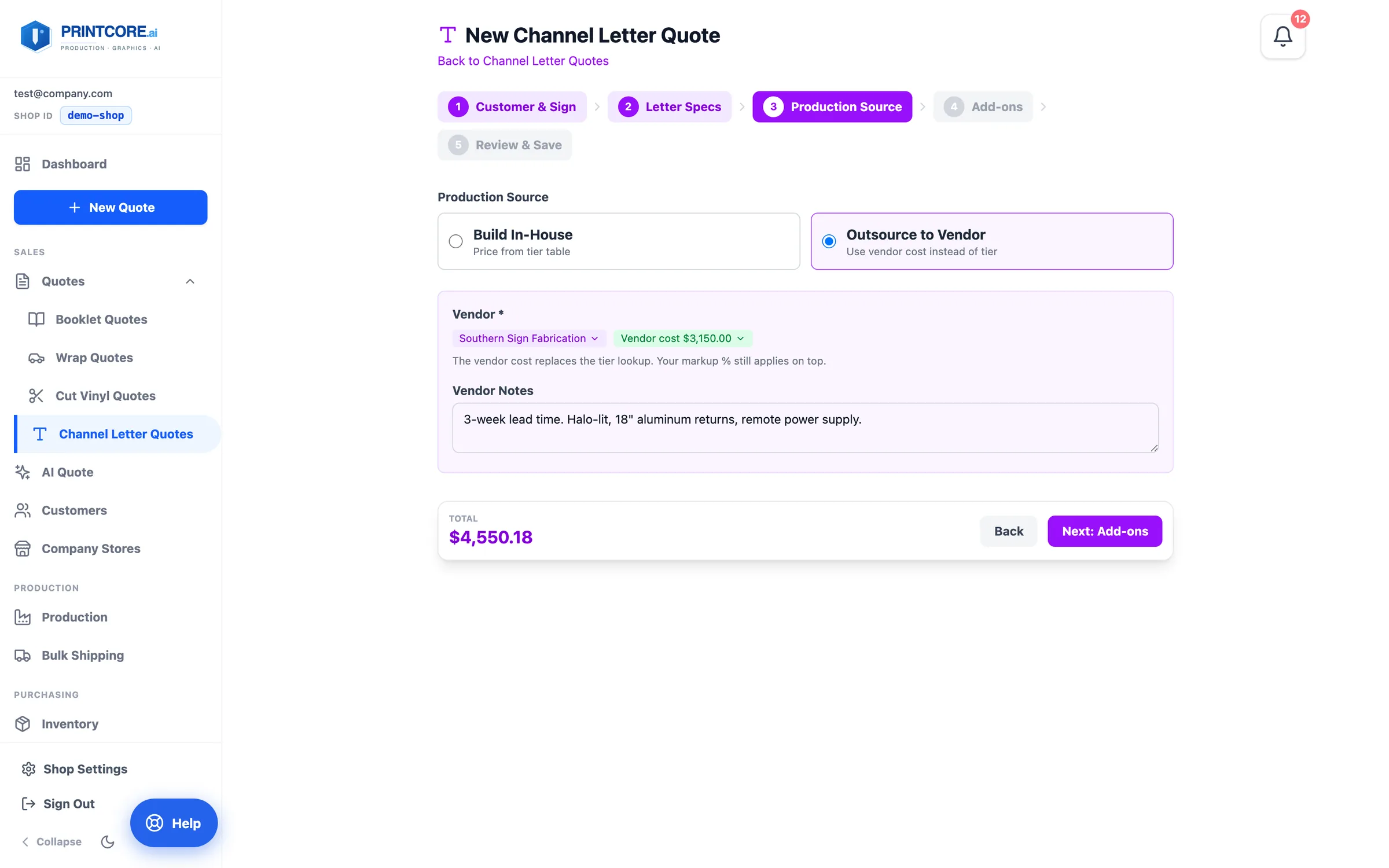
Decide whether your shop fabricates the letters or a sign vendor does. When you outsource, pick the vendor from your suppliers and enter the vendor's cost for the whole set — your markup still applies on top.
app.printcore.ai/quotes/channel-letter/new
What to do
Pick Build In-House to use your tier pricing, or Outsource to Vendor: choose the supplier chip, enter the vendor cost, and add vendor notes like lead time.
Why it matters
Most sign shops do a mix. Both pricing paths live in one tool, and the vendor's name never appears on the customer's quote.
Step 5 of 7Channel Letter Quotes
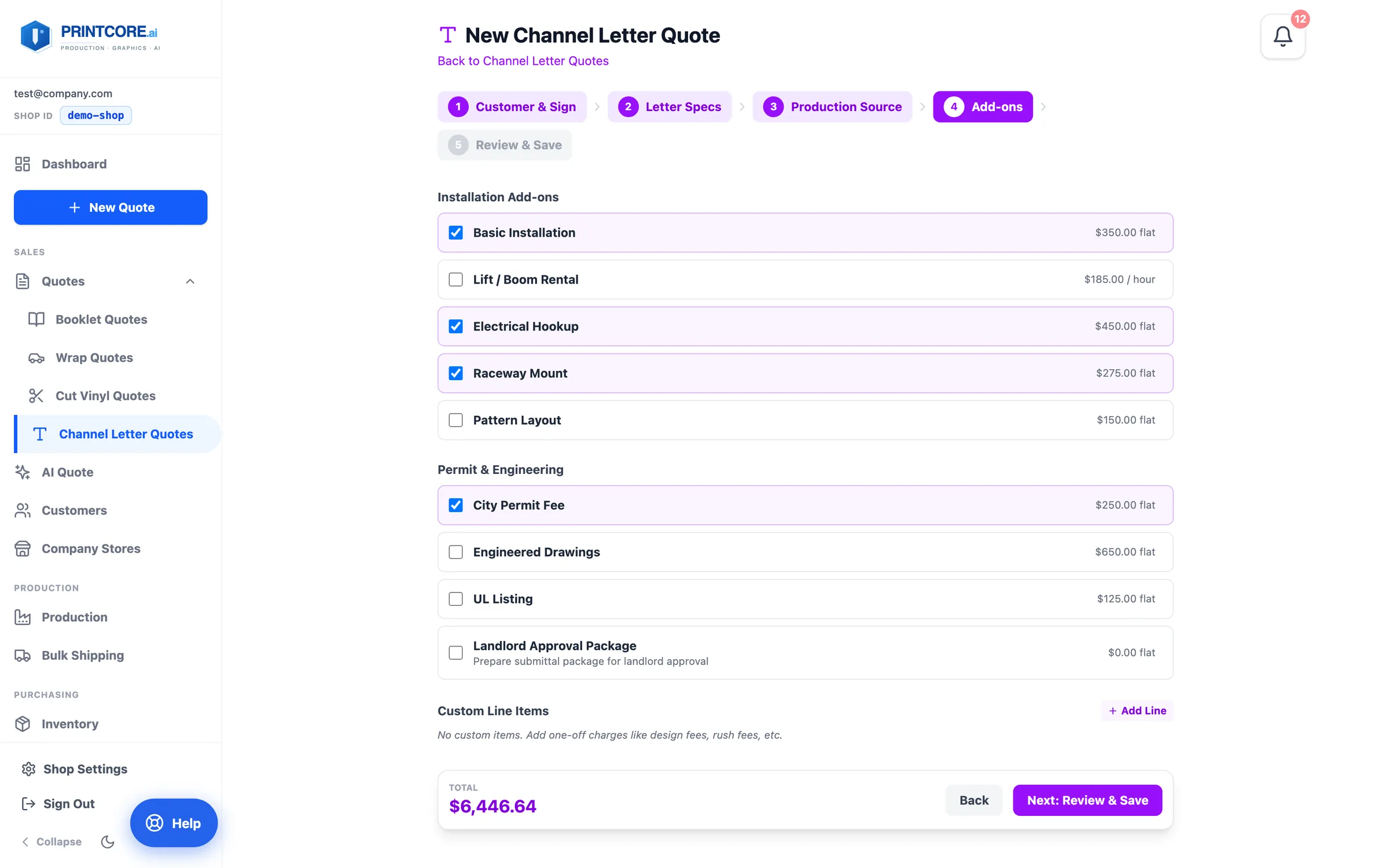
Step 4 — Add-ons
Installation, lift rental, electrical hookup, raceway mount, pattern layout, city permit, engineered drawings, UL listing, landlord approval package — plus custom lines for one-off charges.
app.printcore.ai/quotes/channel-letter/new
What to do
Tick the add-ons that apply. Use Add Line for anything that isn't on the list.
Why it matters
Forgetting permits or a lift rental is the #1 way channel letter quotes lose money. The checklist makes them impossible to skip.
Step 6 of 7Channel Letter Quotes
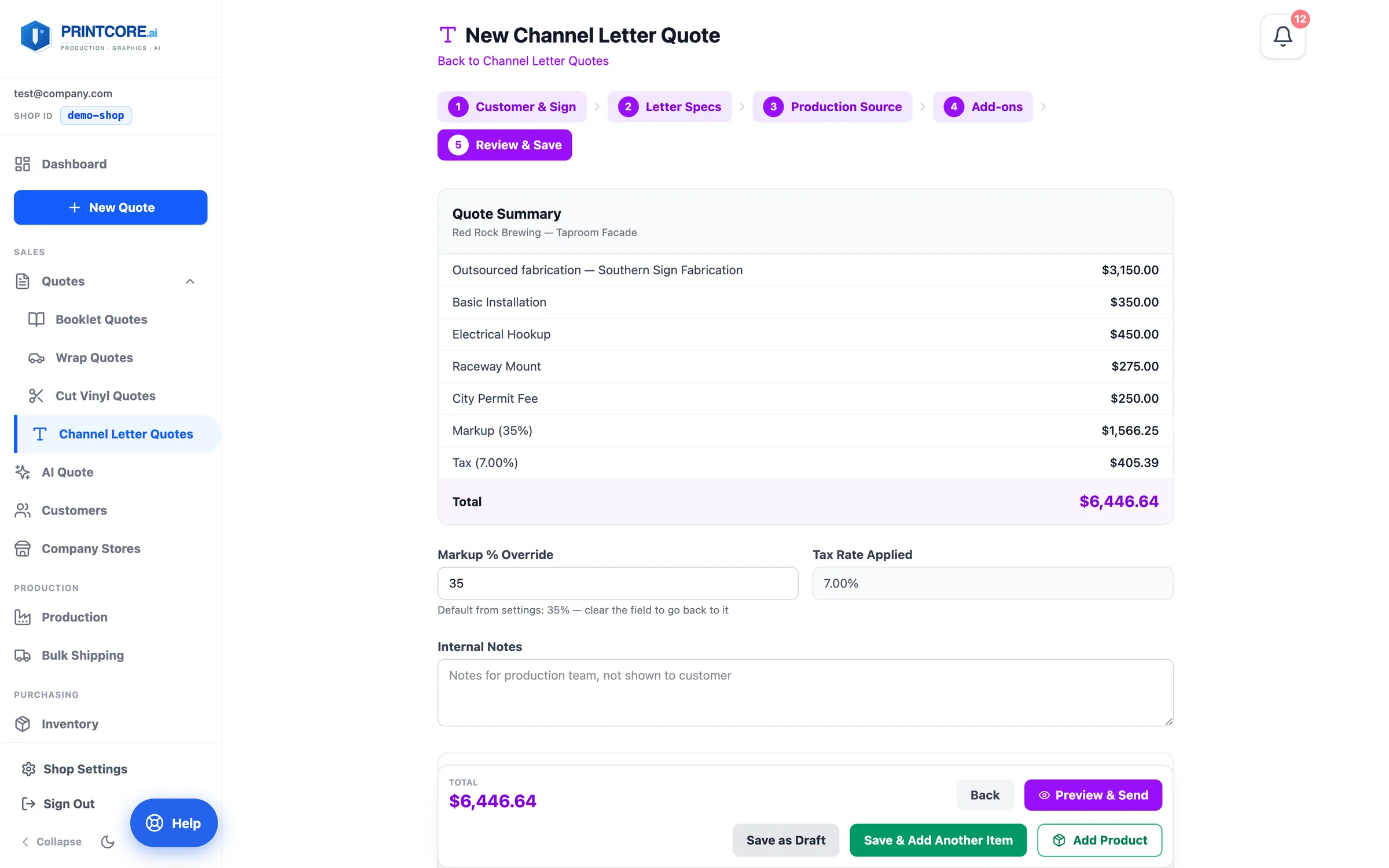
Step 5 — Review & Save
The summary lists the fabrication, each add-on, and the markup, with the total. Warnings appear if anything looks off, like no tax rate applied.
app.printcore.ai/quotes/channel-letter/new
What to do
Adjust the Markup % Override if needed, add Internal Notes for the install crew, check Ship To and upload any files, then Save as Draft or Preview & Send.
Why it matters
Internal notes never appear on the customer's quote — perfect for crew handoff details.
Channel letters quoted in 5 steps 🔤
Next, see how AI Quote turns a customer's email, PDF, or photo into a priced quote in three steps.